AI transcription forinterviews & researchmeetings & callsinterviews & research
Upload any recording and get accurate transcripts, AI summaries, AI Chat, speaker labels, comments, tasks and shareable exports — all in one workspaceUpload any recording and get accurate transcripts, AI summaries, AI Chat, speaker labels, comments, tasks and shareable exports — all in one workspace
"I used to spend hours listening back. Now I get a summary, decisions, and action items in three minutes."
1,839+ usersUsed for meetings, interviews, and content.
99% accuracyHigh accuracy on any recordings.
135+ languagesTranscribe global audio and video.
GDPR compliantBuilt for privacy-conscious workflows.
No credit cardStart with 30 free minutes.
Built for real work
A meeting transcriber, interview transcription tool, and audio to text workspace in one.
Teams
Meeting recorder and transcription for Zoom, Google Meet, and Teams.
Upload or record Zoom, Microsoft Teams, Google Meet, or Webex meetings and get searchable meeting transcripts, AI meeting notes, speaker labels, summaries, decisions, and action items.
Speaker labels for multi-person calls
Zoom transcription, Google Meet transcription, and Teams transcription
Share links for people who missed the meeting
Research
Interview transcription and research transcription for serious work.
Transcribe interviews, focus groups, and research recordings with timestamps, searchable quotes, exports, and clean transcripts for analysis.
Long interview and focus group support
Find important quotes by search
Export clean text for analysis tools
Content
Call transcription for videos, podcasts, and webinars.
Turn customer calls, podcasts, webinars, lectures, and video recordings into clean audio to text, subtitles, summaries, and shareable exports.
Webinar transcription, podcast transcription, and SRT/VTT exports
Quote-ready transcript review
Translation for global content
How it works
From audio to text to a finished transcript in one workflow.
A short walkthrough shows the real path: upload a file or record in Chrome, review the speech to text transcript, then use summary, export, sharing, and Ask AI when the text is ready.
See the product without starting a signup flow
See summary, export, sharing, and Ask AI in context
Top features
Everything you need after the transcript is ready.
From one recording, create AI meeting notes, summaries, exports, share links, and searchable transcripts without rereading every line.
AI summary
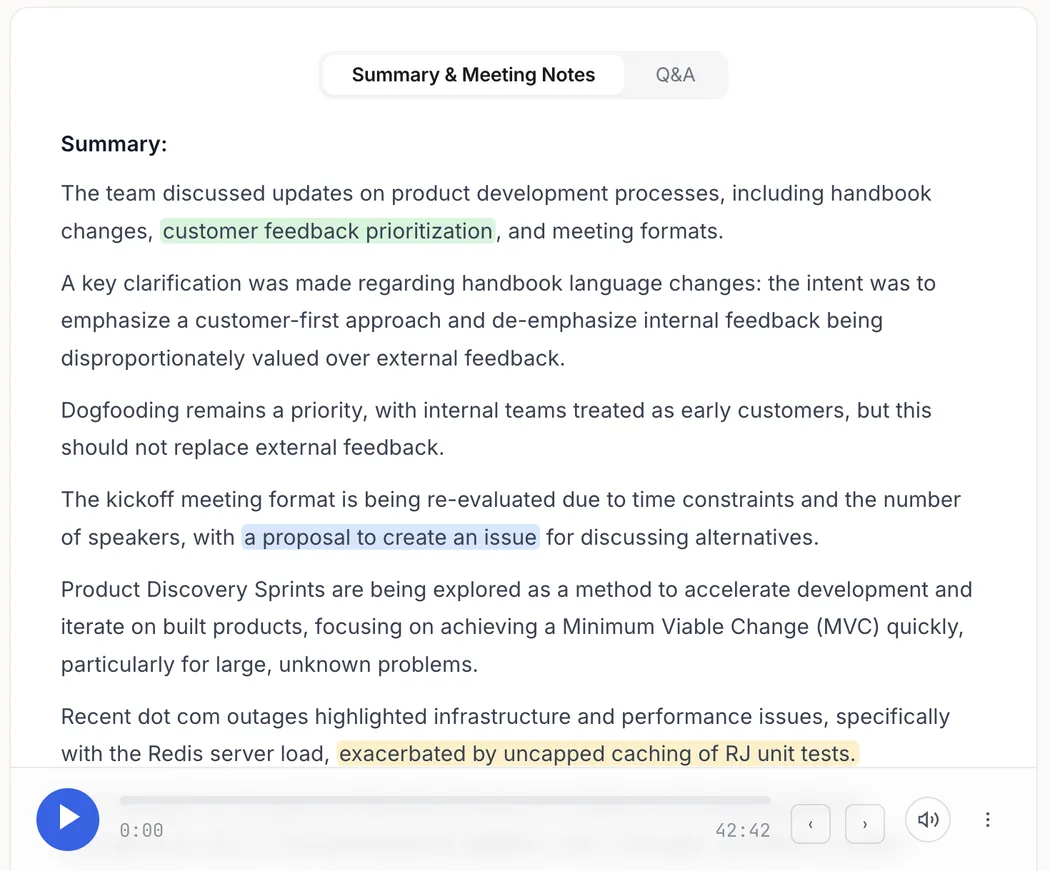
Turn long recordings into decisions.
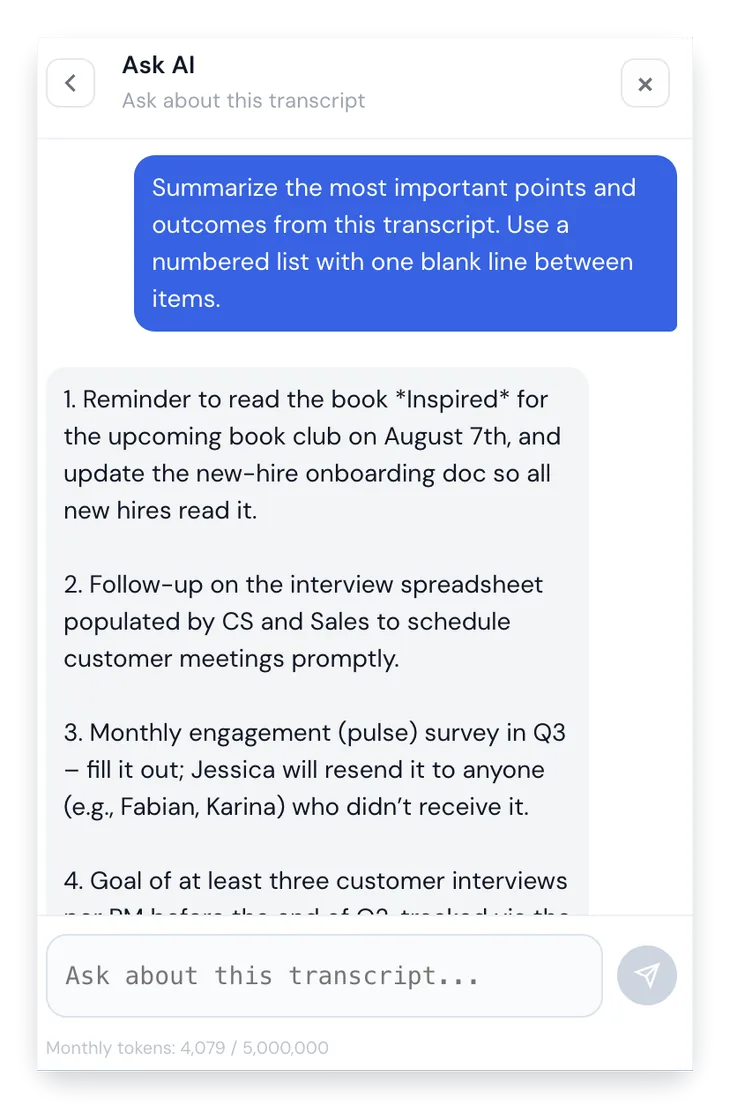
Get the result you actually need: AI meeting notes, main ideas, evidence, and next steps you can act on immediately.
Main ideas without rereading the full transcript
Meeting notes and evidence tied to the source
Useful after calls, interviews, lectures, and videos
Export
Export formats that keep work moving.
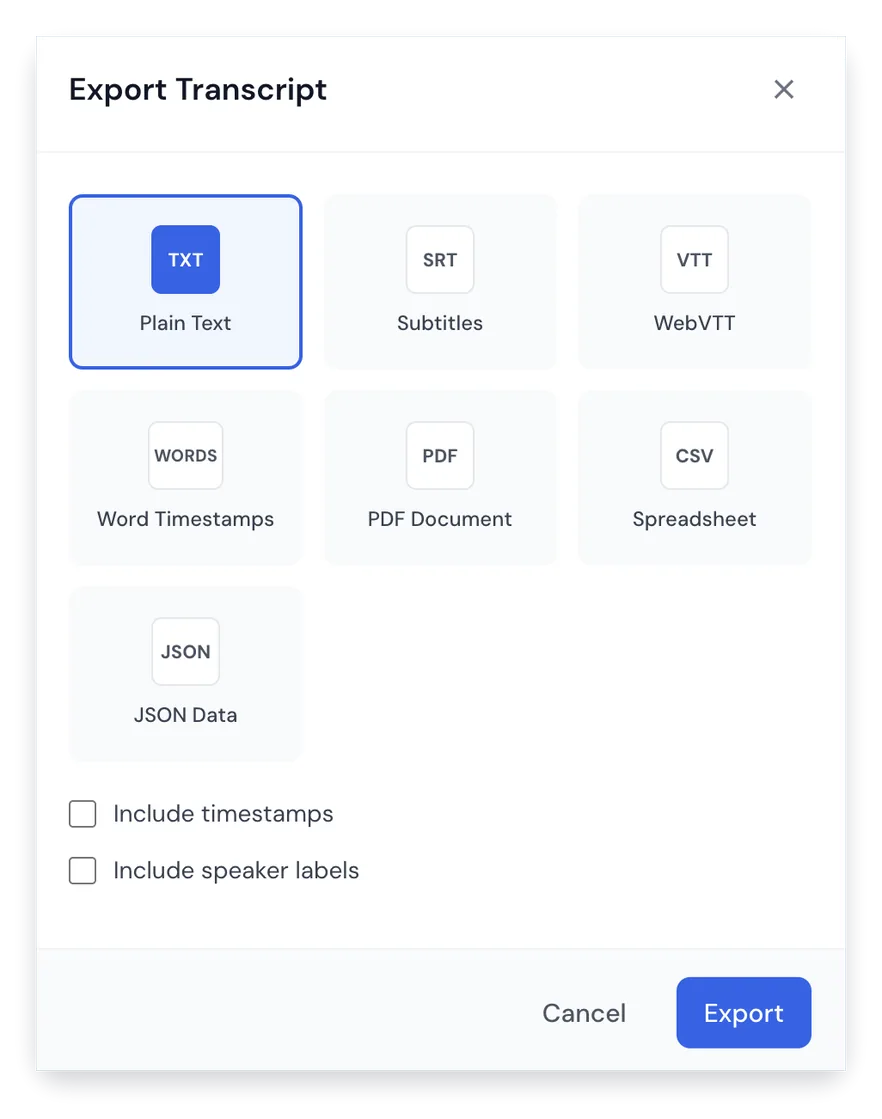
Download the transcript in the format each workflow needs, from clean text to subtitles and structured data.
TXT, PDF, DOCX, SRT, VTT, CSV, and JSON
Speaker labels and timestamps when needed
Ready for subtitles, reports, and documentation
Sharing
Share transcripts without sending files around.
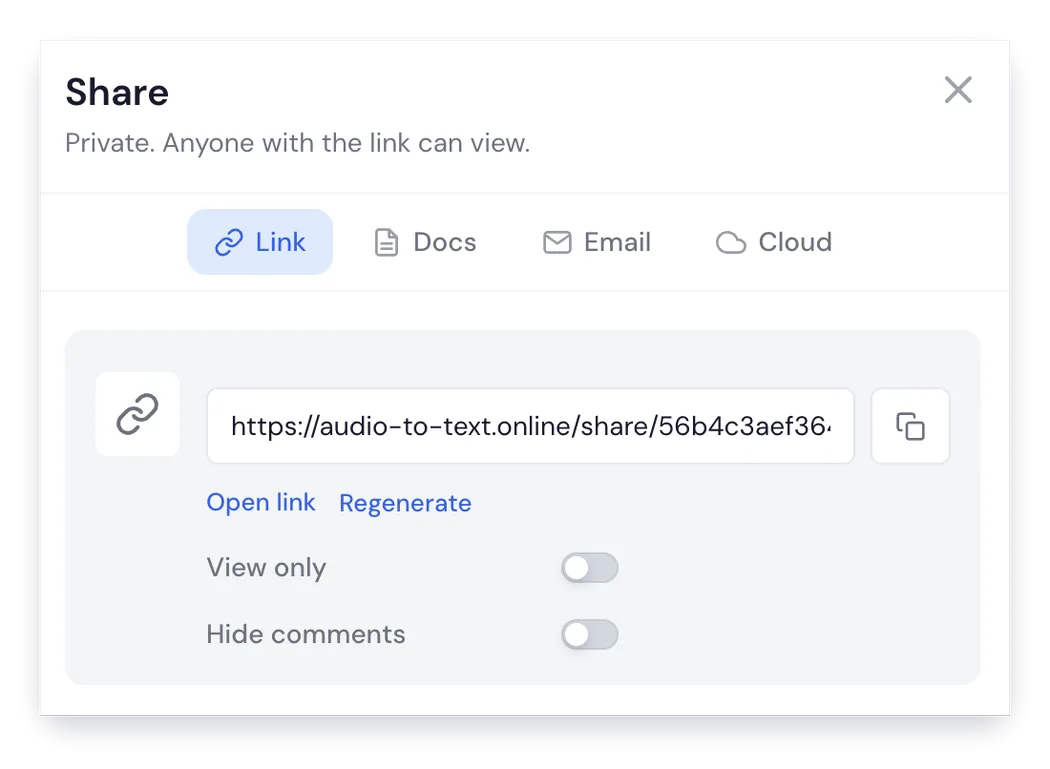
Create a clean shared page so teammates, clients, or collaborators can review the transcript from a link.
Private URL sharing for faster review
Email sharing for collaborators
Good for people who missed the meeting
Extension
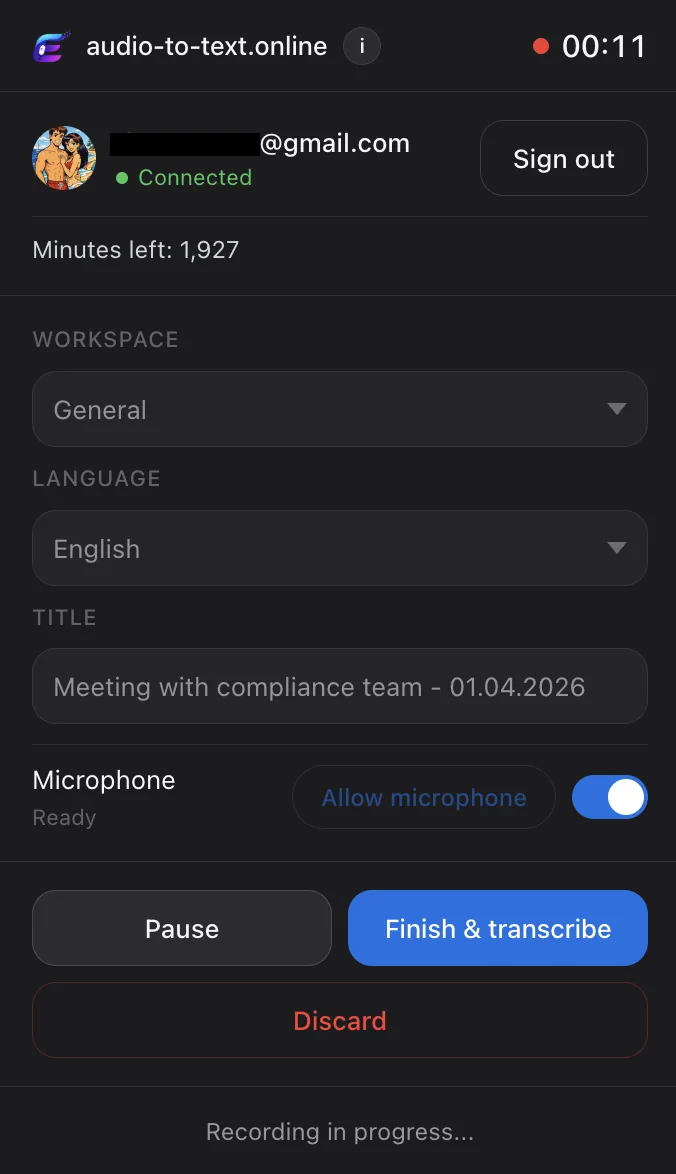
Meeting recorder for Google Meet, Zoom, and Teams.
Capture a meeting, lecture, or browser session in Chrome and send it straight into the transcription workflow.
99%+ accuracy. Our Accuracy Guard cross-checks every transcript against the original recording, so you never get invented words or hallucinated content. Speaker labels and timestamps are accurate down to the second.
Is my data private?
Yes. Files are encrypted and only you can access them. We never train AI on your recordings. We never share your data. When you delete a file, it's permanently removed instantly — not stored, not archived, not recoverable.
Can I transcribe Zoom, Google Meet, Microsoft Teams, and Webex meetings?
Yes. Upload the meeting recording or use the Chrome extension to record browser audio, then get a searchable transcript with speaker labels, summaries, action items, share links, and exports.
Can I use it for interview and research transcription?
Yes. It works for interviews, focus groups, qualitative research, user research, journalism, and long recordings where you need timestamps, searchable quotes, clean exports, and accurate review.
Can I transcribe sales, support, or customer calls?
Yes. You can transcribe call recordings, review key moments, create summaries, find follow-up tasks, and export the transcript for CRM notes, coaching, handoffs, or documentation.
Can I use Orynote for audio to text and speech to text?
Yes. Upload audio or video files, or record browser audio with the Chrome extension, and Orynote turns speech to text with speaker labels, timestamps, summaries, AI notes, and export formats.
Can I cancel anytime?
Yes. One click in your settings. Your access continues until the end of the period you've already paid for. No emails, no support tickets, no friction.
How long can my files be?
Up to 10 hours or 5 GB per file. That covers full-day workshops, long depositions, multi-hour focus groups — basically anything you'll realistically need to transcribe.
Does it work in my language?
Yes — we support 135+ languages including English, Spanish, French, German, Italian, Portuguese, Dutch, Polish, Russian, Mandarin, Japanese, Korean, Arabic, Hindi, and many more. Speaker detection works across all of them, and you can translate any transcript with one click.
Is my workflow secure for sensitive work?
Yes. We're GDPR-compliant from day one. Files are encrypted in transit and at rest. You control sharing — transcripts are private by default, only accessible to you unless you create a share link. Used by researchers, journalists, lawyers, and corporate teams every day.